Handwriting, journaling, and LLMs
There is a cubby of my bookshelf with some ragged handwritten journals, dating back to my first real trip abroad to Thailand and Hong Kong in 1994. Most of my major trips have an associated journal, filled with disconnected chickenscratch, laid down at night in hostels and hotels after long days of seeing important temples or trudging through deserts, mountain passes, and crowded hot city streets. There is also a 5 Year Journal that my wife got me with entries from my years in Nagoya. These journals are from a different time. As I started travelling with a laptop or iPad, trading my unintelligible crabbed hand for perfectly legible, fully searchable, digital text.
After many, many years, I added a new handwritten journal to that shelf just a couple weeks ago: 80 pages of observations and adventures from London and Germany.
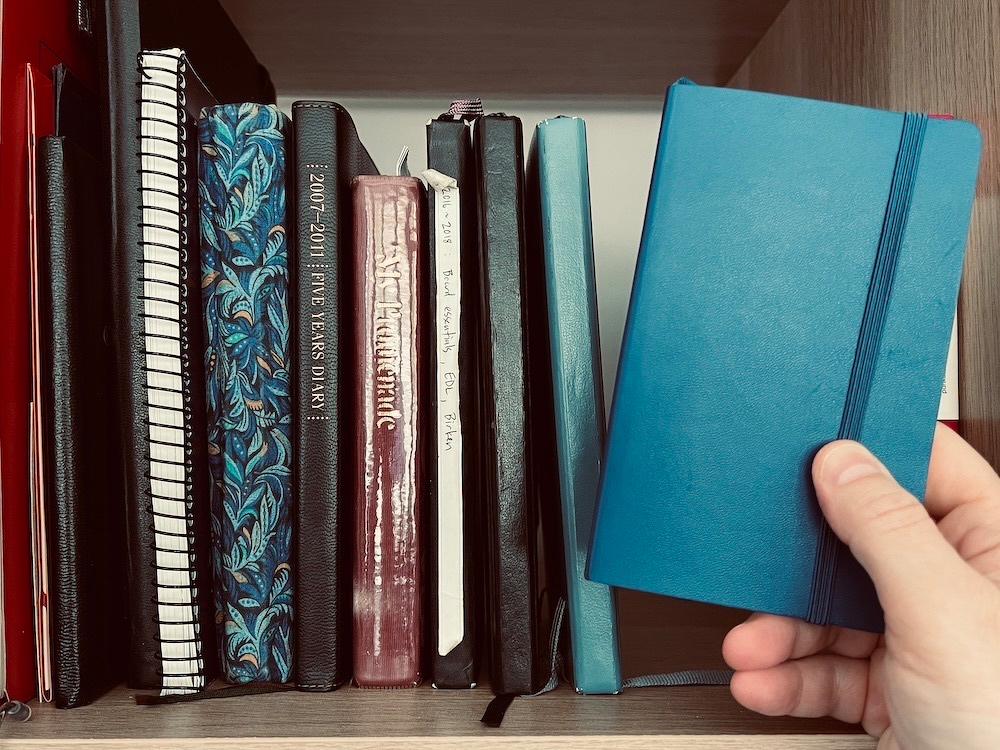
Why did I go back to a handwritten journal? The answer: LLMs.
There are three aspects I want to cover: 1) the state of “intelligent” optical character recognition; 2) the benefits of handwriting; 3) the virtuous cycle of the two interacting.
Interpreting over recognizing
OCR is a pretty blunt tool. It tries to recognize every single mark on the page individually regardless if it is an actual word, a scratched out word, or even just a random squiggle. If it does not recognize a group of markings it will throw an error as in:
the quick brown
[unrecognized]jumps over the lazy[unrecognized]
Especially for handwritten docs, OCR requires a lot of editing afterwards as you have to go back and edit all the obvious [unrecognized] errors — never mind all the words it “successfully” recognized incorrectly.
the quick brown
faxjumps over the lazydeg
LLMs are a marked improvement in this process. LLMs don’t just recognize words, they can interpret them in context. LLMs can make much better guesses at sloppily written words and skip over crossed out words and random squiggles. It won’t be perfect, but it should be much improved over traditional OCR.
Benefits of the written word
I won’t go into it too much here, but for long time it has been recognized that writing by hand is better for your brain than typing for a whole slew of reasons. The embodied process of writing requires sustained focus (not to mention the fact that you don’t have a bunch of notifications popping up in your paper notebook to distract you!) which leads to better memory retention and comprehension of the material.
I originally started using notes apps like Obsidian et alia to capture things I could not commit to my insufficient meat-memory. But reducing myself to basically a court stenographer rapidly dumping everything into my second brain for the past few years probably has not helped my memory capabilities these past five years.
Writing for the machine, writing for myself
As mentioned above, my handwriting looks like the footprints of a flock of pigeons walking across hot concrete after a frolic in the birdbath. Since I spend so much time typing (loudly) on my (various) mechanical keyboards my handwriting skill has suffered over the years. Wouldn’t it be nice to have neat, legible, and maybe even aesthetically pleasing handwriting? Just watch some YouTube vids about improving your handwriting and you will likely feel the same shame as I do 😅
Recently it dawned on me: if I improve my handwriting, not only will I have the satisfaction of improving myself, it will also make the text easier to read for the LLM! A virtuous cycle!
Putting it all together
Notes apps like Obsidian mean all your text is instantly accessible (no pulling down journals from the shelf and flipping through them), synced across all your devices, fully searchable, and enhanced with metadata and backlinks to connect related notes. Nowadays you can point an LLM at your notes and have deep discussions with your second brain.
With intelligent OCR we can have our cake and eat it too since we can get all the benefits of a digital repository of our notes plus the benefits of writing our notes by hand. Furthermore, we also get a hardcopy of all our notes offline just in case the LLMs do become sentient and the Butlerian Jihad actually becomes a thing! It’s a win-win-win!
Postscript on Tablets
When I got my iPad Pro back in 2018 I spent the extra $150 on the Apple Pen with the intention to hand write more. It never stuck. Last year I got a Boox Go, which has been okay, but not great. A small pocket notebook is much less expensive and a lot better of an experience for taking notes.
Local LLM Experiment details
Okay, now down to the nitty gritty. This is the system I have been experimenting with to capture my paper notes and put them in my Obsidian. This is not a tutorial since it is not a completed solution, but I wanted to give you just an idea of the things I have tried. If you have a solid tutorial to share, I would love to learn about it!
I do recognize that there are some fit for purpose applications like Transkribus but I don’t want to give my personal journals to a third party. I want to explore local LLMs that can allow me to do this work without any of the content leaving my computer.
First, I scanned about 50 pages of my pocket journal into a PDF doc. There is a left page and a right page as you can see in this example:
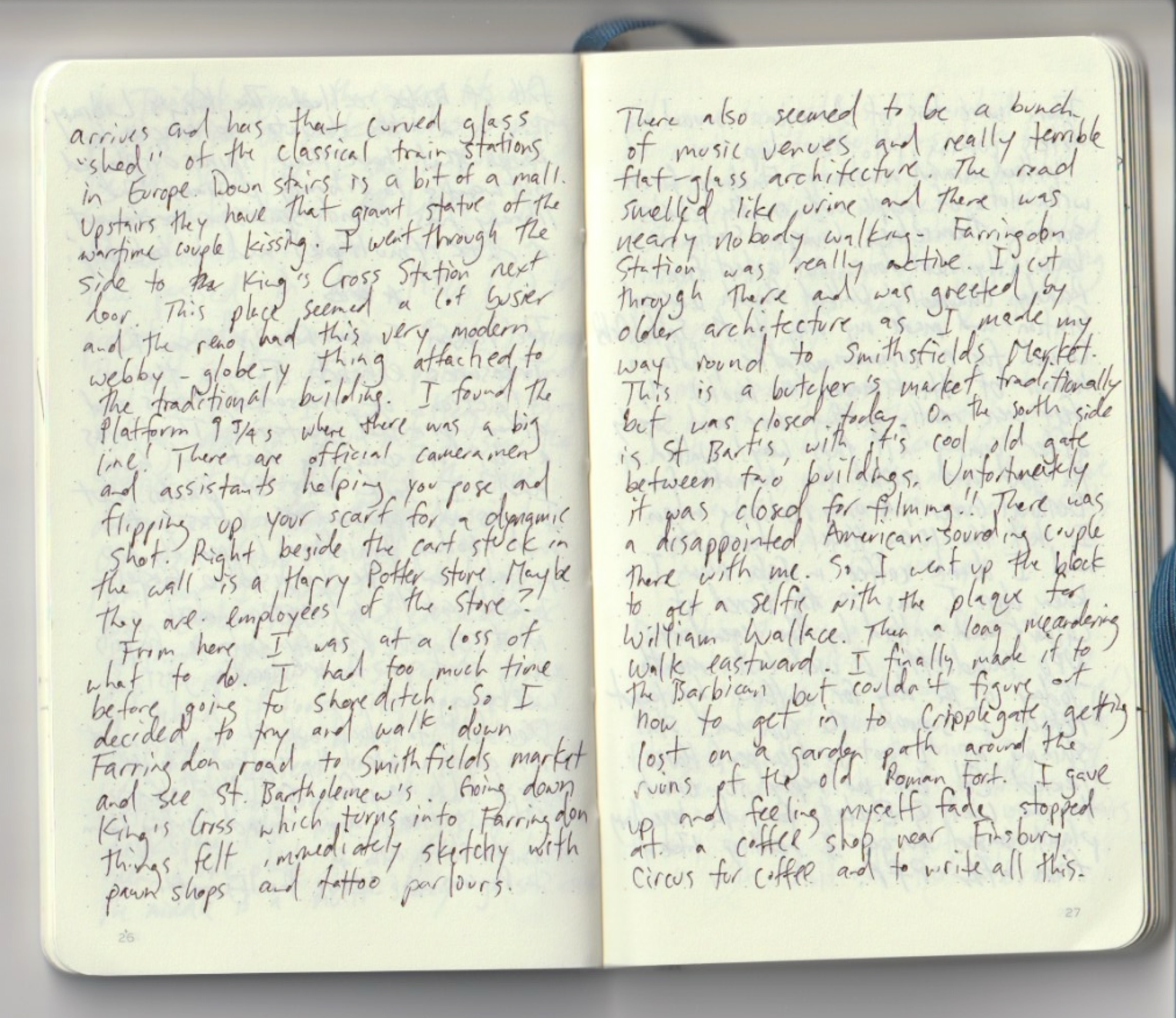
I found chandra-ocr-2 on Hugging Face, loaded that into my LM Studio and threw the PDF in. I wasn’t expecting this to work instantly, and it didn’t. First of all, it couldn’t detect anything in the PDF. I had to export all the pages to JPEGs so the LLM could “see” it. I threw the resulting folder of images at it and after chugging away for a bit… it died. After some testing I found that it could only handle about 5 pages at a time before the context window clocked out. This is even after I maxed out the Context Length to 262144 (I have a Mac Studio Pro with 128GB of RAM basically for messing around with local models). Image recognition is resource intensive!
(as an experiment I took one innocuous page and threw it into Claude… and the result was fast and damn near perfect. Bejaysus those cloud models are really good! However, I am not willing to throw all my pages in there so it isn’t really a good test.)
The context window limitations led me to developing a processing pipeline. I used a coding agent to vibecode up a python script that would:
- Load each image of a journal page from the folder, in sorted order
- Split each image in half vertically: left half = one journal page, right half = the next page
- Send each half to LM Studio’s local API
- Transcribe to a running markdown file with a page marker
It took a little experimenting with rotation etc, but I got it going. The transcription process took a long time (like about 20 minutes on my machine) and I don’t know how many tokens I burned through, but it was all local so it doesn’t matter. Yay rainforests!
With this system in place I could then test out different models for accuracy. The Chandra-OCR model is based on Qwen and what I found was that Qwen was actually better at outputting accurate text than the tuned Chandra-OCR. A friend advised I turn down the Temperature to help with processing time and intensity since I don’t need it to be very creative. I am still playing with this parameter (I need it to be creative enough to correctly guess the right words).
The other thing that needs to be done is proper filing to Obsidian. Ideally the output should be a series of markdown files with timestamp filenames (and in this case tagged with #travel) ready for dropping into my Daily Notes photo.
Lots more can be done, including a bunch of optimizations. It still takes quite a bit of processing time and each page has to be reviewed for errors and the occasional [unrecognized]. But it feels like we are almost at the point of being able to quickly scan or photograph your journal and throw it to the machine for transcription and filing to your second brain.
Final words
It seems to me that this kind of intelligent OCR system will probably be found everywhere, not just products dedicated to scanning journal notes. In other words it won’t just be Moleskin and Leuchtturm1917 and Evernote with intelligent handwriting recognition, but Apple and Google will probably include it into their photos app too at some point.
Scanning and inputting a whole journal like this is pretty intensive. But if you carry a pocket journal around and at the end of the day take some snaps of a few pages with your phone and drop them into Qwen, you can do really well right now I think.